Executive Summary
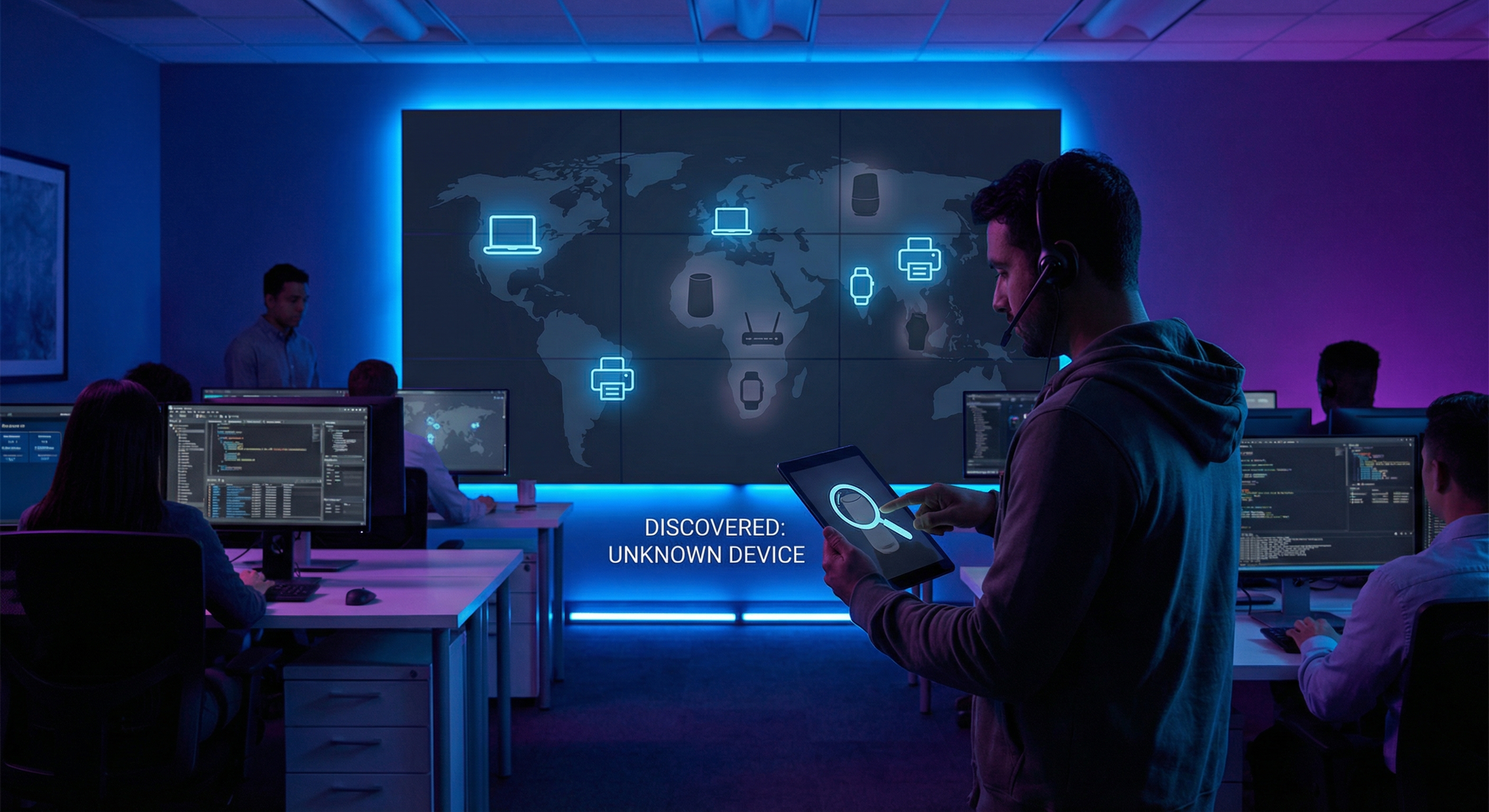
There’s a silent invasion happening in your office right now. 58% of IoT devices in enterprise environments are unmanaged — invisible to IT security teams yet connected to your corporate network. These “shadow IoT” devices include smart TVs in conference rooms, personal fitness trackers, smart coffee makers, Bluetooth speakers, and dozens of gadgets employees bring from home. Shadow IoT discovery has surged 41% year-over-year, and 46% of employees now connect personal IoT devices to work networks. Each unmanaged device is a potential backdoor for attackers. This comprehensive guide reveals how shadow IoT has become the enterprise’s most underestimated threat vector and provides the detection, policy, and technical controls needed to eliminate the blind spots before attackers exploit them.
What Is Shadow IoT?
Definition
Shadow IoT refers to Internet of Things devices connected to enterprise networks without the knowledge, approval, or management of IT security teams.
Unlike shadow IT (unauthorized software), shadow IoT involves physical devices that:
- Connect to Wi-Fi, Ethernet, or Bluetooth
- Communicate over the network
- Often have weak or no security features
- Are invisible to traditional security tools
- Create unmonitored entry points for attackers
The Scope of the Problem
2026 Shadow IoT Statistics:
- 58% of IoT devices in enterprises are unmanaged
- 46% of employees connect personal IoT to work networks
- +41% year-over-year growth in shadow IoT discovery
- 36% of organizations experienced IoT-related security incidents
- Average enterprise: 15,000-30,000 connected devices (most unknown to IT)
- Detection gap: 67% of shadow devices undiscovered for 6+ months
Why It’s Growing Exponentially
1. Consumer IoT Explosion
Every employee now owns multiple IoT devices:
- Smartphones (2-3 per person)
- Smartwatches/fitness trackers
- Wireless earbuds
- Personal hotspots
- Smart home devices they bring to work
2. Remote Work Persistence
Hybrid work blurred boundaries:
- Home networks connected to corporate VPNs
- Personal devices mixed with work devices
- Home IoT exposed to corporate networks via tunnels
- Employees take work laptops home (connecting to insecure home networks)
3. Office “Smart-ification”
Facilities teams deploy IoT without IT involvement:
- Smart HVAC systems
- Occupancy sensors
- Smart lighting
- Conference room displays
- Environmental monitoring
- Smart locks and access systems
4. BYOD Culture
Bring Your Own Device policies focus on laptops/phones but ignore:
- Smartwatches with cellular
- Fitness trackers with GPS
- Bluetooth keyboards and mice
- Gaming devices
- E-readers with Wi-Fi
5. Vendor Equipment
Third parties install devices without disclosure:
- Printers with Wi-Fi/cellular modems
- HVAC controllers with network access
- Vending machines with payment processing
- Security cameras from facilities contractors
- Building management systems
The Shadow IoT Threat Landscape
Why Shadow Devices Are Dangerous
1. Unknown Vulnerabilities
If IT doesn’t know a device exists, they can’t:
- Patch firmware vulnerabilities
- Change default passwords
- Monitor for suspicious activity
- Control network access
- Include in incident response plans
2. Weak Security by Design
Consumer IoT devices prioritize convenience over security:
- Default/weak passwords (often unchangeable)
- No encryption (data transmitted in plain text)
- No automatic updates (vulnerabilities persist forever)
- No logging (attacks leave no evidence)
- No authentication (anyone can connect)
3. Network Bridge Points
Shadow devices often bridge secure and insecure networks:
- Smart TV in conference room (connected to corporate + internet)
- Personal phone (corporate Wi-Fi + cellular + home network)
- Fitness tracker (syncs with cloud, connected to corporate)
4. Credential Harvesting
IoT devices can capture:
- Wi-Fi credentials (stored in device memory)
- Broadcast authentication tokens
- Network traffic (man-in-the-middle position)
- Voice commands (smart speakers picking up conversations)
5. Lateral Movement Platform
Once compromised, IoT devices provide:
- Network foothold (inside the firewall)
- Persistent access (rarely rebooted or monitored)
- Scanning platform (map corporate network)
- Attack staging (launch attacks against internal systems)
Real-World Shadow IoT Attacks
Case 1: The Smart Fish Tank (2017 - Still Relevant)
Scenario:
- Casino installed internet-connected aquarium
- Temperature/salinity monitoring with network access
- IT unaware of network connection
Attack:
- Attackers compromised aquarium controller
- Pivoted to internal network
- Exfiltrated 10 GB of high-roller customer data
- Data sent to external server via aquarium’s network connection
Lesson: Even bizarre IoT devices can be serious attack vectors.
Case 2: The Conference Room Smart TV (2024)
Scenario:
- Fortune 500 company installed smart TVs in conference rooms
- TVs connected to corporate Wi-Fi for presentations
- Facilities department deployed without IT approval
Attack:
- Researcher discovered TVs running outdated Android
- Exploited known vulnerability (CVE-2023-XXXX)
- Gained shell access to TV
- TV could capture screen mirroring traffic (presentations)
- Could activate microphone during confidential meetings
Findings:
- TV stored Wi-Fi password in plain text
- Admin interface exposed with default credentials
- 340 TVs across 12 locations equally vulnerable
Case 3: The Fitness Tracker Data Breach (2025)
Scenario:
- Defense contractor allowed employee fitness trackers
- Trackers connected to corporate Wi-Fi for syncing
- GPS data uploaded to cloud service
Exposure:
- Security researchers discovered public heat map
- Heat map showed exercise patterns
- Patterns revealed classified facility locations
- Guard patrol routes visible
- Facility layouts inferrable from running paths
Impact:
- National security implications
- Contractor banned all fitness trackers
- GPS policy implemented across defense industry
Case 4: The HVAC System Breach (2025)
Scenario:
- Retail chain used smart HVAC controllers
- Controllers connected to internet for remote management
- Vendor had remote access for maintenance
Attack:
- Attackers compromised HVAC vendor
- Used vendor access to reach HVAC controllers
- Pivoted from HVAC network to POS network (poor segmentation)
- Installed RAM-scraping malware on payment systems
- 4.7 million credit cards stolen
Cost: $180 million (fines, remediation, lawsuits)
The Shadow IoT Attack Lifecycle
Phase 1: Discovery (Attacker)
Attackers scan for shadow devices:
- Shodan (search engine for IoT devices)
- Nmap network scans
- Wi-Fi sniffing (identify device types)
- Building reconnaissance (observe what’s connected)
Phase 2: Identification
Determine device type and vulnerabilities:
- MAC address lookup (identifies manufacturer)
- Banner grabbing (reveals firmware version)
- Default credential testing
- CVE database lookup
Phase 3: Exploitation
Compromise the device:
- Default passwords (admin/admin, password, 1234)
- Known vulnerabilities (unpatched CVEs)
- Weak authentication (replay attacks)
- Open services (telnet, SSH, web interfaces)
Phase 4: Persistence
Maintain access:
- Install backdoor (survives reboots)
- Create hidden accounts
- Modify firmware (persistent malware)
- Disable logging (hide evidence)
Phase 5: Lateral Movement
Move to valuable targets:
- Network scanning (identify other systems)
- Credential theft (harvest from traffic)
- Exploit trust relationships (IoT device trusted by other systems)
- Pivot to IT infrastructure
Phase 6: Objective
Achieve attack goal:
- Data exfiltration
- Ransomware deployment
- Espionage
- Sabotage
- Cryptomining
Shadow IoT Discovery: Finding What You Don’t Know
The Discovery Challenge
Traditional IT Asset Management Fails:
- Agent-based tools can’t install on IoT (no operating system)
- Active scanning may crash fragile devices
- DHCP logs incomplete (static IPs, rogue devices)
- Manual inventory impossible (thousands of devices)
What’s Needed:
Passive, agentless discovery that identifies:
- Device type (camera, printer, HVAC, personal device)
- Manufacturer
- Operating system/firmware
- Network behavior
- Risk level
Discovery Methods
Method 1: Passive Network Analysis
Monitor network traffic without interacting with devices.
How It Works:
Network Traffic → Span Port/TAP → Analysis Engine → Device Inventory

What It Captures:
- MAC addresses (identifies manufacturer)
- DHCP requests (reveals device name, type)
- DNS queries (shows what device contacts)
- HTTP headers (user agents, application info)
- Protocol signatures (industrial, consumer, enterprise)
Advantages:
- No impact on network or devices
- Discovers everything that communicates
- Continuous monitoring
- Behavioral analysis (detect anomalies)
Tools:
- Forescout (enterprise device visibility)
- Armis (agentless device security)
- Cisco ISE (identity services engine)
- ExtraHop (network detection and response)
Method 2: Network Access Control (NAC)
Require authentication before devices access network.
How It Works:
Device connects → NAC intercepts → Device profiled → Policy applied

Unknown device:
- Quarantined to restricted VLAN
- Limited internet access (registration page)
- IT notified for approval
- Cannot access corporate resources

Known/approved device:
- Assigned to appropriate VLAN
- Access granted per policy
- Continuous monitoring
Advantages:
- Prevents unauthorized access
- Forces discovery at point of connection
- Enables policy enforcement
- Provides audit trail
Tools:
- Cisco ISE (market leader)
- Aruba ClearPass (wireless-focused)
- Forescout (agentless NAC)
- ForeScout eyeExtend (integrations)
Method 3: Active Scanning (Use Carefully)
Probe devices to identify type and vulnerabilities.
Caution:
Active scanning can:
- Crash fragile IoT devices
- Trigger false alarms
- Disrupt operations
- Miss devices that don’t respond
Best Practices:
- Scan during maintenance windows
- Use low-intensity, “safe” scans
- Exclude known fragile devices (PLCs, medical equipment)
- Combine with passive methods
Tools:
- Nmap (network mapper)
- Nessus (vulnerability scanner)
- Qualys (cloud-based scanning)
Method 4: DHCP/DNS Log Analysis
Mine infrastructure logs for device information.
What Logs Reveal:
DHCP Logs:
Date: 2026-01-27 14:32:18
MAC: AA:BB:CC:11:22:33
IP Assigned: 192.168.10.47
Hostname: SAMSUNG-TV-CONF-A
Vendor: Samsung Electronics
DNS Logs:
Device: 192.168.10.47
Query: api.samsungsmart.com
Query: updates.samsung.com
Query: advertising.samsung-tv.net  ← Suspicious!
Advantages:
- Uses existing infrastructure
- Historical data available
- No additional tools needed
Limitations:
- Misses static IP devices
- Hostname can be spoofed
- Requires log aggregation infrastructure
Method 5: Wireless Analysis
Discover all Wi-Fi connected devices.
What It Captures:
- SSIDs devices connect to
- Probe requests (devices searching for known networks)
- Device capabilities (encryption support, bands)
- Manufacturer from MAC prefix
Tools:
- Wireless IDS (AirTight, Mojo)
- Wi-Fi analysis apps (Fingbox, Fing)
- Enterprise wireless controllers (Cisco, Aruba)
Building a Device Inventory
Required Information:
For each device, document:
- MAC address (unique identifier)
- IP address (network location)
- Device type (camera, printer, HVAC, personal)
- Manufacturer (Samsung, Google, etc.)
- Model/firmware (version info)
- Owner (person or department responsible)
- Business purpose (why it’s connected)
- Risk level (critical, high, medium, low)
- Network segment (VLAN assignment)
- Last seen (still active?)
Inventory Template:
MAC IP Type Manufacturer Owner Purpose Risk VLAN
AA:BB:CC:11:22:33 192.168.10.47 Smart TV Samsung Facilities Conf Room A High IoT
DD:EE:FF:44:55:66 192.168.10.52 Printer HP IT Floor 3 Print Medium Corporate
11:22:33:AA:BB:CC 192.168.10.89 Unknown Unknown Unknown Unknown Critical Quarantine
Shadow IoT Policy Framework
Policy Components
1. Acceptable Use Policy (IoT Addendum)
Define what devices are allowed:
Prohibited Devices:
- Personal smart speakers (Alexa, Google Home)
- Smart home devices (plugs, lights, cameras)
- Personal NAS/storage devices
- Unauthorized routers/access points
- Cryptocurrency mining equipment
Restricted Devices (Approval Required):
- Smart TVs
- IoT sensors
- Building management devices
- Vendor-provided equipment
Permitted Devices:
- Corporate-issued smartphones
- Corporate-approved tablets
- Approved conference room equipment
- IT-managed printers
2. BYOD IoT Policy
Address personal devices employees bring:
Policy Elements:
- Personal smartwatches permitted (fitness tracking only)
- Personal phones permitted on guest network only
- No personal IoT on corporate network
- Employees must register devices with IT
- Unregistered devices will be blocked
Enforcement:
- NAC blocks unknown device MAC addresses
- Guest network has no corporate access
- Monitoring detects policy violations
- Repeat offenders face disciplinary action
3. Vendor IoT Policy
Control third-party device installations:
Requirements:
- All vendor devices must be approved by IT before installation
- Vendor must provide device inventory (MAC addresses, types)
- Vendor devices placed on isolated network segment
- Vendor responsible for patching and security
- IT must have access to device management interfaces
- Quarterly security review of vendor devices
Contract Language:
Section 14: IoT Security Requirements

14.1 Prior to installation, Vendor shall provide IT Security with:
- Complete inventory of all network-connected devices
- Device specifications (manufacturer, model, firmware)
- Network requirements (ports, protocols, external connections)
- Security documentation (encryption, authentication, patching)

14.2 Vendor devices shall:
- Use unique, strong passwords (not defaults)
- Encrypt all network traffic
- Receive security updates within 30 days of release
- Support network isolation (VLAN placement)

14.3 IT Security reserves the right to:
- Disconnect devices failing to meet security standards
- Audit vendor devices at any time
- Require removal of insecure devices
4. Facilities IoT Policy
Address devices installed by building management:
Scope:
- HVAC controllers
- Lighting systems
- Occupancy sensors
- Building access systems
- Environmental monitoring
- Elevator systems
Requirements:
- IT approval required before network connection
- All devices on dedicated IoT VLAN
- No direct internet access (proxy only)
- Centralized management (IT-controlled)
- Quarterly vulnerability assessments
Policy Enforcement
Technical Enforcement:
Policy: "No unauthorized IoT devices on corporate network"

Enforcement Mechanism:
1. NAC profiles all connecting devices
2. Unknown devices auto-quarantined
3. IT receives alert for unknown device
4. Device blocked until approved
5. Approved devices added to inventory
6. Ongoing monitoring for policy violations
Human Enforcement:
- Annual security awareness training (IoT module)
- Email reminders about IoT policy
- Posters in common areas
- Manager accountability for team compliance
- Disciplinary consequences for violations
Technical Controls for Shadow IoT
Control 1: Network Segmentation
Isolate IoT from corporate resources.
Implementation:
Network Architecture:

VLAN 10 - Corporate (Trusted)
- Workstations, servers, printers
- Full network access
- Strict access controls

VLAN 20 - IoT (Untrusted)
- Smart TVs, sensors, building systems
- Internet access only (filtered)
- No access to VLAN 10

VLAN 30 - Guest (Isolated)
- Personal devices, visitors
- Internet only
- No internal access

VLAN 40 - Quarantine (Monitoring)
- Unknown devices
- Registration page only
- Full monitoring
Firewall Rules:
# VLAN 20 (IoT) Rules
ALLOW: VLAN 20 → Internet (ports 80, 443)
ALLOW: VLAN 20 → DNS Server
DENY: VLAN 20 → VLAN 10 (all)
DENY: VLAN 20 → Internal Servers (all)
LOG: All VLAN 20 traffic

# VLAN 30 (Guest) Rules
ALLOW: VLAN 30 → Internet (all)
DENY: VLAN 30 → Internal (all)

# VLAN 40 (Quarantine) Rules
ALLOW: VLAN 40 → Captive Portal only
DENY: VLAN 40 → Everything else
LOG: All traffic
ALERT: All connection attempts
Control 2: Network Access Control (NAC)
Authenticate and profile every device before granting access.
NAC Workflow:
Device connects to network
         ↓
NAC intercepts connection
         ↓
Device profiled (MAC, traffic, behavior)
         ↓
┌────────────┴────────────┐
│          Decision       │
├─────────────────────────┤
│ Known + Compliant?      │
│ → Grant access          │
│                         │
│ Known + Non-compliant?  │
│ → Remediation VLAN      │
│                         │
│ Unknown?                │
│ → Quarantine VLAN       │
│ → Alert IT              │
└─────────────────────────┘
NAC Profiling Capabilities:
- Device type identification (camera, TV, phone, laptop)
- OS fingerprinting (Windows, Linux, Android, proprietary)
- Manufacturer identification (from MAC OUI)
- Compliance checking (antivirus, patches, encryption)
- Behavioral analysis (normal vs. suspicious activity)
Recommended NAC Solutions:
Solution Best For Key Feature
Cisco ISE Large enterprises Deep integration with Cisco infrastructure
Aruba ClearPass Wireless-heavy environments Strong wireless profiling
Forescout Mixed environments Agentless, heterogeneous support
Portnox Mid-market Cloud-native, easy deployment
Control 3: IoT-Specific Firewalls
Deploy firewalls that understand IoT protocols.
Traditional vs. IoT-Aware Firewalls:
Traditional Firewall:
- Port/protocol filtering
- Basic application identification
- No IoT protocol awareness
- Cannot parse industrial or smart device traffic
IoT-Aware Firewall:
- Deep packet inspection for IoT protocols
- Understands Zigbee, Z-Wave, CoAP, MQTT
- Identifies device-specific traffic patterns
- Blocks IoT-specific attacks
Recommended Solutions:
- Palo Alto Networks (IoT Security subscription)
- Fortinet (FortiGate IoT detection)
- Check Point (IoT Protect)
- Cisco Firepower (IoT visibility)
Control 4: DNS-Based Control
Use DNS to control and monitor IoT devices.
How It Works:
IoT devices rely on DNS to find their cloud servers. Control DNS, control the device.
Implementation:
IoT Device: "I need to connect to manufacturer-cloud.com"
         ↓
Internal DNS Server (Controlled)
         ↓
Decision:
- Approved domain? → Resolve normally
- Blocked domain? → Return nothing (NXDOMAIN)
- Suspicious domain? → Log and allow (monitoring)
- Command-and-control? → Block and alert
DNS Filtering Categories:
- Allow: Manufacturer update servers, approved cloud services
- Block: Known malware domains, ad networks, tracking
- Monitor: Unknown domains (log for analysis)
Tools:
- Pi-hole (free, open-source DNS filtering)
- Cisco Umbrella (enterprise DNS security)
- Infoblox (DNS security + IPAM)
- Cloudflare Gateway (cloud DNS filtering)
Benefit: Works for devices that can’t run agents (all IoT).
Control 5: Continuous Monitoring
Monitor all IoT traffic for anomalies.
What to Monitor:
Metric Normal Suspicious
Data volume Smart TV: 500 MB/day Smart TV: 50 GB/day
Connection count Thermostat: 10/day Thermostat: 500/day
Destinations Known cloud services Unknown foreign IPs
Protocol HTTPS Telnet, IRC, Tor
Time of activity Business hours 3 AM on weekends
Anomaly Examples:
ALERT: Anomaly Detected
Device: Conference Room TV (192.168.20.15)
Issue: Uploading 15 GB to IP in Eastern Europe
Normal: <1 GB/day to Samsung cloud
Action: Investigate immediately

ALERT: Protocol Anomaly
Device: Smart Thermostat (192.168.20.22)
Issue: Port scan detected (probing 192.168.10.0/24)
Normal: HTTPS to Honeywell servers only
Action: Isolate device, investigate compromise
Monitoring Tools:
- Darktrace (AI-powered anomaly detection)
- Vectra AI (network threat detection)
- ExtraHop (network detection and response)
- Armis (IoT-focused monitoring)
Incident Response for Shadow IoT
When You Discover an Unknown Device
Immediate Response:
Step 1: Isolate (0-15 minutes)
- Move device to quarantine VLAN
- Block at firewall
- Do NOT power off (preserves evidence)

Step 2: Identify (15-60 minutes)
- Determine device type
- Find physical location
- Identify owner/installer
- Document all connections

Step 3: Assess (1-4 hours)
- Is device compromised?
- What data did it access?
- What did it communicate?
- Any indicators of compromise?

Step 4: Decide (4-24 hours)
- Remove permanently?
- Allow with controls?
- Approve and add to inventory?
- Escalate to security incident?
When You Suspect Compromise
Incident Response Steps:
Phase 1: Contain
- Isolate device from network (don’t unplug power)
- Block all related IP addresses at firewall
- Preserve network logs
- Alert security team
Phase 2: Investigate
- Review network traffic from device (last 30+ days)
- Identify all systems device communicated with
- Check those systems for compromise
- Timeline the attack
Phase 3: Eradicate
- Factory reset compromised device (if keeping)
- Change any credentials device accessed
- Patch similar devices
- Block attack vectors
Phase 4: Recover
- Re-image potentially compromised systems
- Restore from known-good backups
- Return device to service (or dispose)
- Enhanced monitoring for 30 days
Phase 5: Lessons Learned
- How did device get on network?
- Why wasn’t it discovered?
- What policy gaps existed?
- What technical controls failed?
Building a Shadow IoT Program
Program Components
1. Discovery Engine
Deploy continuous discovery:
- Passive network monitoring (24/7)
- NAC for real-time detection
- Scheduled active scans (weekly)
- Log analysis (DHCP, DNS)
2. Device Inventory
Maintain comprehensive inventory:
- All known devices documented
- Ownership assigned
- Risk levels classified
- Regular reconciliation (monthly)
3. Policy Framework
Establish clear policies:
- Acceptable use (what’s allowed)
- BYOD policy (personal devices)
- Vendor requirements (third-party equipment)
- Enforcement procedures (consequences)
4. Technical Controls
Implement defense layers:
- Network segmentation (VLANs)
- Network access control (NAC)
- Monitoring and alerting
- DNS filtering
5. Awareness Training
Educate employees:
- Annual security training (IoT module)
- New employee onboarding
- Regular reminders
- Phishing simulations (IoT-themed)
6. Audit Program
Regular assessments:
- Monthly inventory reconciliation
- Quarterly policy compliance audits
- Annual penetration testing (IoT focus)
- Vendor security reviews
Metrics to Track
Operational Metrics:
Metric Target Current
Known devices 100% ___%
Devices on correct VLAN 100% ___%
Unknown devices (monthly) <10
Mean time to discover <24 hours ___ hours
Mean time to classify <4 hours ___ hours
Security Metrics:
Metric Target Current
IoT security incidents 0
Compromised devices 0
Policy violations <5/month
Unpatched IoT devices <5% ___%
Devices with default creds 0% ___%
Conclusion: Eliminating the Blind Spots
Shadow IoT represents one of the most dangerous and underestimated threats to enterprise security. With 58% of devices unmanaged and 46% of employees bringing personal IoT to work, the attack surface is massive and largely invisible.
The consequences are real:
- 36% of organizations already experienced IoT-related incidents
- Attackers use shadow devices to bypass perimeter security
- HVAC systems and smart TVs become breach vectors
- Personal fitness trackers expose classified facilities
The solution requires:
- Discovery: Find every device on your network
- Policy: Define what’s allowed and enforce it
- Segmentation: Isolate IoT from corporate resources
- Monitoring: Watch for anomalies continuously
- Response: Act quickly when threats detected
Shadow IoT doesn’t have to be a security nightmare. With the right combination of technology, policy, and awareness, you can transform unknown risks into managed assets.
Quick Start Checklist
This Week:
- Deploy network discovery tool (Armis, Forescout, or similar)
- Run initial scan to identify all connected devices
- Identify unknown devices requiring investigation
- Document critical findings
This Month:
- Classify all discovered devices
- Create IoT policy (acceptable use, BYOD, vendor)
- Implement network segmentation (at minimum: corporate vs. IoT)
- Deploy NAC for new device detection
This Quarter:
- Full device inventory complete
- Monitoring and alerting operational
- Employee awareness training conducted
- Vendor IoT requirements in contracts
Stop the shadow invasion. Secure your enterprise IoT.